every 20 min
Repeating
Measured from the last time it fired, so finishing early resets the clock instead of leaving the next one stacked on top of you.
Mac · iPhone and iPad · Windows
Pauselet keeps recurring reminders (pressure relief, water, medication, a stretch, a phone call) and lets you set, for each one, how much of your attention it is allowed to take.
Free and open source · No account · Mac build signed and notarised by Apple
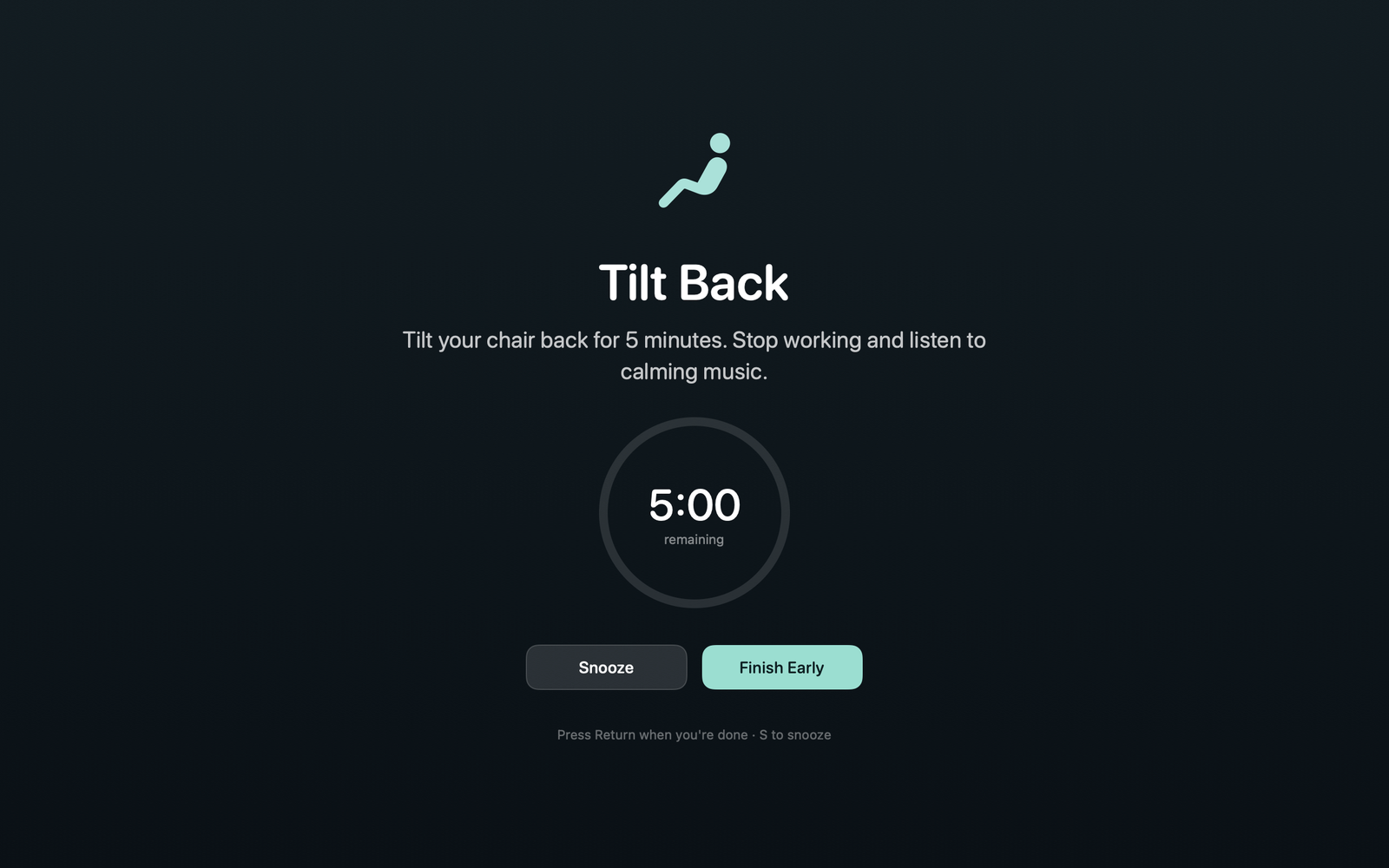
Tilt Back
Tilt your chair back for 5 minutes. Stop working and listen to calming music.
Four volumes
Every reminder in Pauselet carries a volume, and the volume is the whole design. A prompt that arrives three times an hour has to cost you nothing. A prompt with a medical consequence behind it has to be impossible to scroll past.
A small silent card in the corner. It never steals focus and disappears by itself.
For the twenty-minute weight shift, the one you get dozens of times a day.
A standard system notification, alongside everything else.
For water, posture, a break, Sunday's phone call home.
A notification with sound, marked time-sensitive so it can reach you through a Focus.
For the things you should not miss while you are heads-down.
A full-screen overlay on every display, which stays until you acknowledge it.
For pressure relief, medication, and anything else with a consequence attached.
Critical
The hourly tilt reminder is the reason this app exists. It dims every display and stays there until you answer it: no dismissing it out of the corner of your eye, no finding it later in a list of things you missed.
There is a countdown, because stop working for five minutes should be a finite instruction with an end you can see, not an open-ended one you abandon after ninety seconds. Snooze if you truly cannot stop now; it will come back.
Quiet hours can silence everything else overnight and still let critical reminders through. That is the default, because a pressure-relief prompt at 2am is still a pressure-relief prompt.
Schedules
every 20 min
Measured from the last time it fired, so finishing early resets the clock instead of leaving the next one stacked on top of you.
17:00 · every 2 days
A set time, every N days. "Every second day" stays in phase rather than drifting a day each time you miss one.
18:30 · Sun Wed
A set time on the weekdays you pick. Good for the reminders that belong to a day rather than an interval.
Give a reminder a duration and it counts down while you do the activity, so you know when you're done rather than guessing.
If the machine was asleep when a reminder was due, it fires late rather than vanishing. Quit the app and relaunch it hours later and the backlog is not replayed: anything more than two minutes overdue at launch is absorbed. A reminder is a request to be interrupted at a moment, not a debt that accrues while nobody is listening. One that fell due inside quiet hours is still delivered when the window ends. Snooze is authoritative: it brings a reminder back even when the next natural slot is further away.
Doing one early resets the clock for a repeating reminder. For a daily or weekly reminder, doing it early uses up the upcoming slot rather than letting it fire again hours later.
Reminders that fire while another is on screen are queued, and anything that has waited more than two minutes is discarded as missed when you acknowledge, so coming back to the desk does not mean dismissing takeover after takeover.
At a glance
On the Mac, Pauselet lives in the menu bar. Click it and you see what's next and how long you have. Tick something off early, flick a reminder off for the afternoon, or pause everything. A timed pause lifts by itself, and resuming re-anchors the intervals, so you don't get a backlog dumped on you at once.
Three platforms
Everything on this page applies to all three unless it says otherwise. The two exceptions are the menu bar and music, which are the Mac's.
macOS 13 or later
Lives in the menu bar, with no Dock icon and no app-switcher entry. Click the icon for what's next and how long you have; the rest is the same app as the other two, plus a few things only a desktop can do.
iOS 26 or later
Critical reminders are alarms, through AlarmKit: they sound through Silent mode and a Focus, show on the Lock Screen, sit in the Dynamic Island and StandBy as a Live Activity, and must be acknowledged. In the foreground they take over the screen like the Mac. Reminders keep firing with the app closed.
Windows 10 1809+ · x64
A tray icon whose hover tooltip shows the next reminder and its countdown, and a flyout with Next up, the reminder list, pause and settings. Nothing to install: unzip and run. No music.
data.json as the Mac, byte for byteThe rest of it
Set a range and everything goes quiet. An option, on by default, lets critical reminders through anyway. A repeating reminder that falls due inside the window is delivered when it ends; a daily or weekly one set for a quiet time is skipped and recorded as missed, because daily at 23:00 should not arrive at 07:00.
It brings a reminder back on your terms, and fires late rather than disappearing if the machine was asleep.
Banners carry Done and Snooze. Clicking the body marks it done; swiping it away records it as dismissed. If notifications are denied, the reminder shows as an in-app card instead, an Important one stays for a full minute, and Pauselet checks each notification actually arrived and switches back by itself once permission is granted.
The editor shows you exactly how a reminder will appear on screen, sound and music included, without touching its schedule or history.
Snooze length from 1 to 120 minutes, 5 by default. How long a subtle card stays, 2 to 60 seconds, 8 by default and overridable per reminder. A Play sounds switch for Important and Critical. The data file's location, shown and selectable so you can back it up. Times and counts can be typed as well as stepped, and an out-of-range value is clamped rather than rejected.
An (i) button beside each preference explains what it does. It opens on a click, not a hover, so it works with head-pointer, switch and keyboard input.
Every firing is recorded as fired, completed, snoozed, dismissed or missed, and the last 24 hours, 7 days or 30 days are summed per reminder, which is the only honest measure of whether the volume you chose was right. History can be cleared at any time.
A reminder app you have to remember to start is not much of a reminder app.
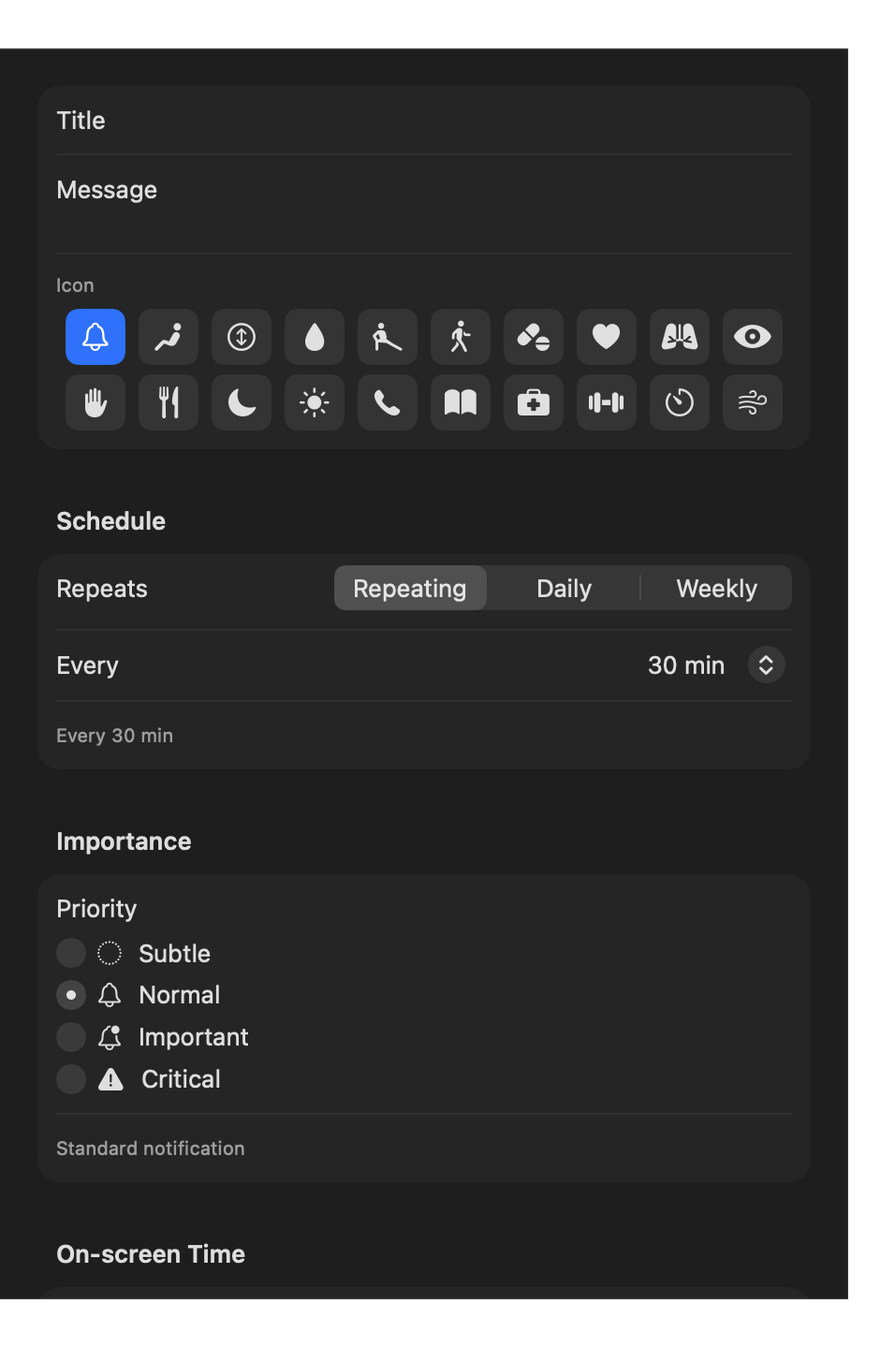
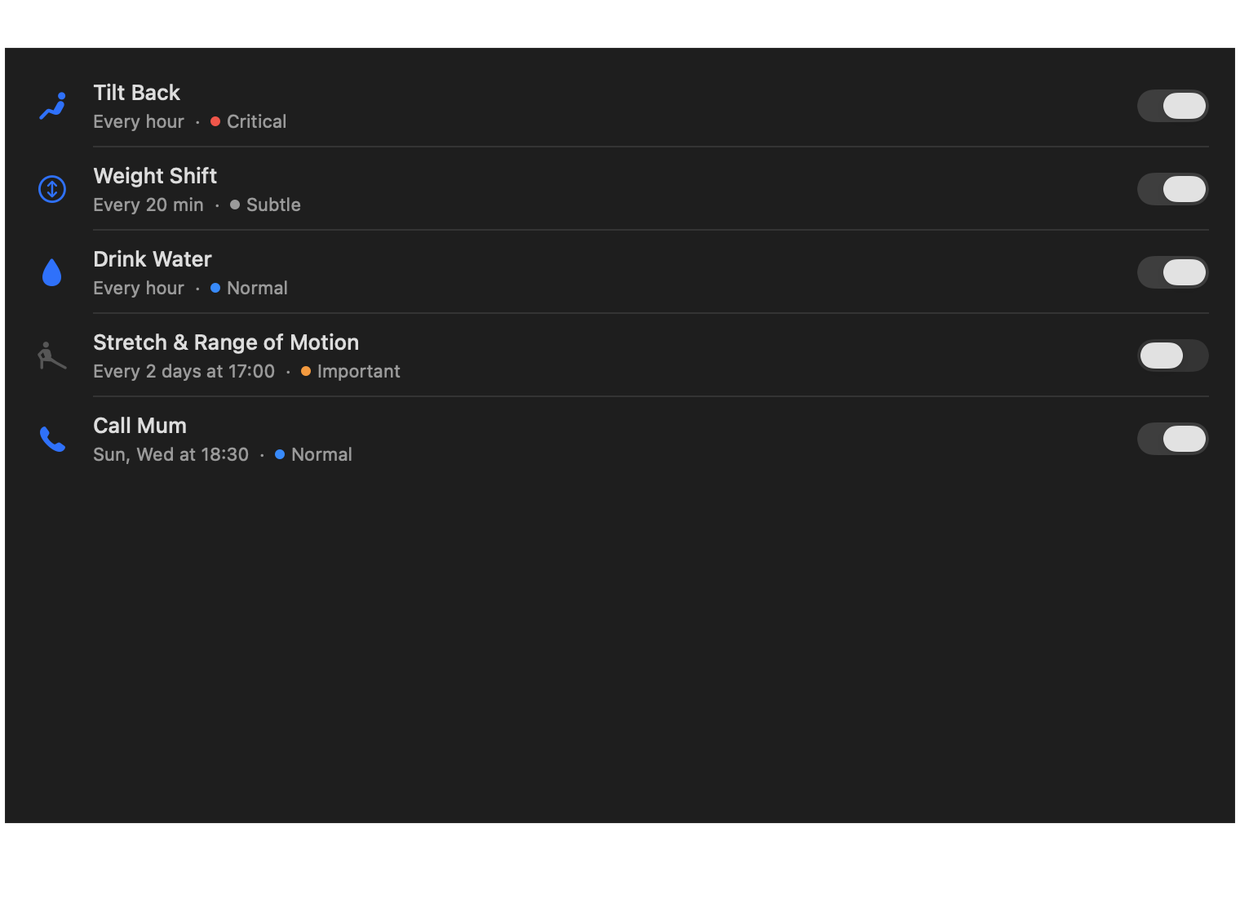
Name it, pick an icon, choose the schedule and the volume. Each volume explains what it will actually do, so the choice isn't a guess. Duplicate one from the right-click menu when the next is nearly the same. Four examples, one per volume, are installed on first launch so the scale is visible from the start.
Each reminder plays its volume's default sound or one of its own, auditioned the moment you pick it. Music accepts playlist, album and track links in either the spotify: or open.spotify.com form.
Return to complete, S to snooze, number keys to start an exercise, A to start them all, Space to start the coach. The on-screen hint says what the overlay in front of you can actually do.
A takeover appears on all your screens, but the coach is shared: cues are spoken once and progress shows up everywhere.
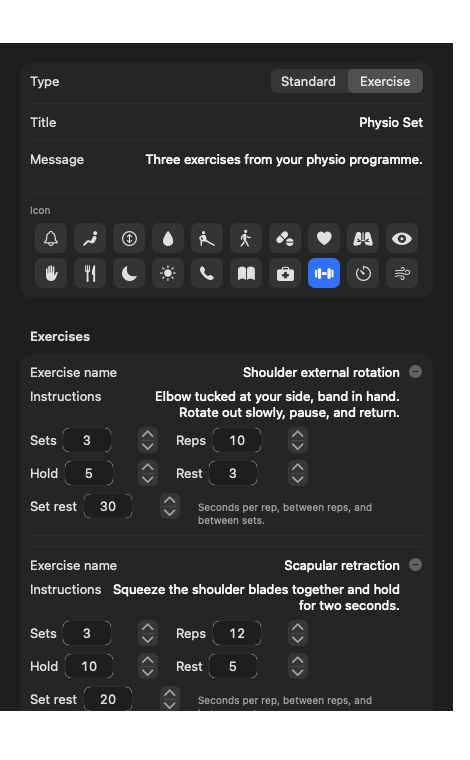
Exercises
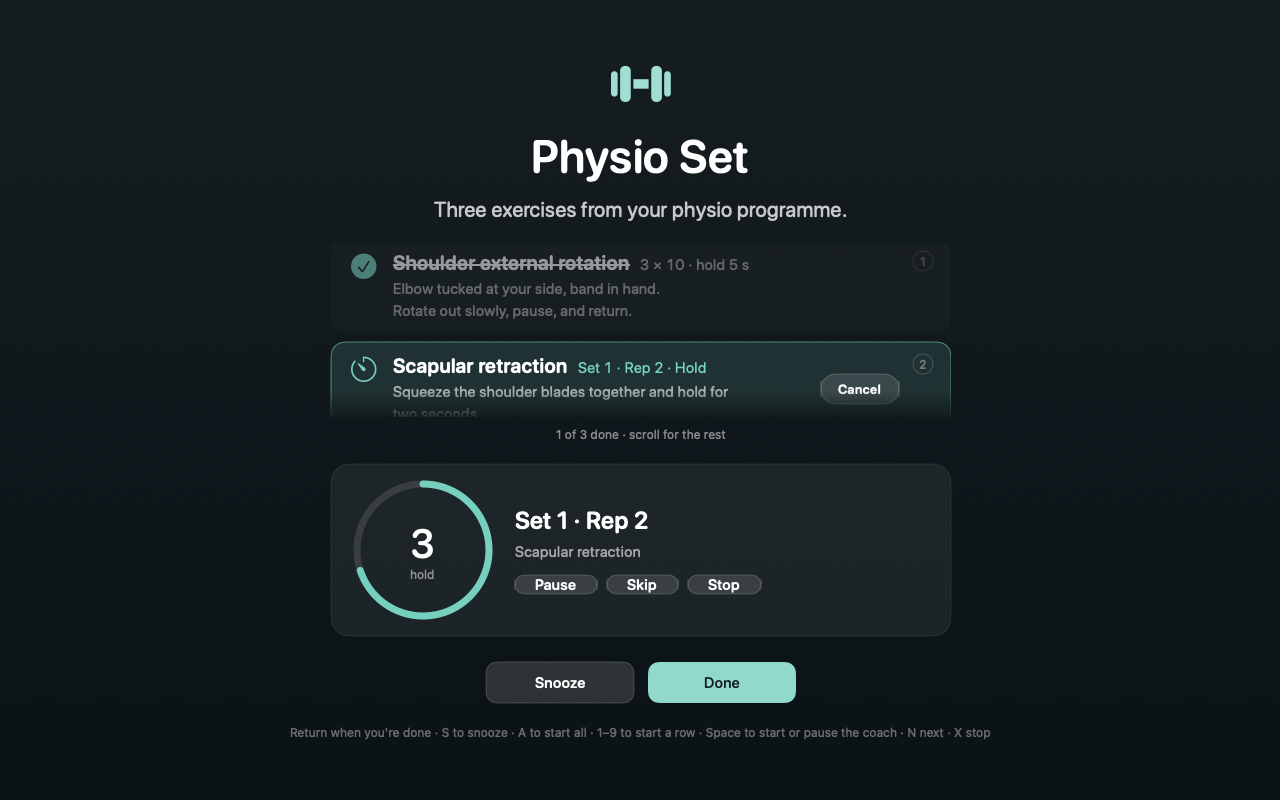
“Do your physio” is a reminder you can obey without doing anything. So an exercise reminder holds the actual list: every exercise, its sets and reps, how long to hold and how long to rest. When it fires, the programme is on the screen in front of you. Every row has Start and Cancel: Start coaches that exercise and marks it done when the last set finishes, Cancel means skipping it this time, and a running count shows how far through you are. An exercise reminder is always delivered at the Critical volume, because a programme you can dismiss without seeing is not a programme.
3 × 10 · hold 5 s
A name, instructions, sets and reps. For a movement you hold rather than repeat, a hold time and the rest between reps and between sets.
1–9 to start a row · A for all
Number keys 1 to 9 start the coach on that row without reaching for the mouse mid-stretch, and A starts every exercise still to do, in order. On several displays the takeover appears on all of them and progress shows on every screen.
2 of 5 done
The coach is what finishes an exercise, not a tick. The count is there so a half-done programme looks half-done, and Snooze still works if you genuinely cannot start now.
Start All · rest 30 s
Start All, or the A key, runs every exercise still to do as one session: a short get-ready lead-in, the sets and reps, then a rest before the next one. The rest is set per reminder and the field appears once a reminder has two or more exercises. Cancel the exercise being coached and it jumps straight to the next one's lead-in. Exercises can be reordered in the editor, and sets default to one, so a handout that gives no number of sets means one set.
Voice coach
Reading a screen while you hold a shoulder retraction means holding it badly. So Pauselet can talk you through the programme instead, set by set and rep by rep, which leaves your eyes free and your form intact. Every exercise is coachable. A movement with a hold time has each rep counted down; one without a hold is paced at three seconds a rep and counted aloud, so it runs through on its own.
“Set 1, rep 1. Hold for 5 seconds.”
“Three. Two. One.”
“Rest.”
“All exercises complete.”
Between exercises the coach announces the hand-over: “Pelvic tilts complete. Rest for 30 seconds. Next, Chin tucks.” With no rest configured it says “Pelvic tilts complete. Chin tucks. Get ready.” The session ends with “All exercises complete”.
The clock follows real time rather than counting ticks, so a stalled machine does not shorten a hold, and the timer freezes while a cue is spoken so speech never eats into one. If the machine goes to sleep mid-set, or you lock an iPhone, the coach pauses, because a hold must not quietly complete under a closed lid.
It is off until you turn it on: a computer that talks should be a decision, not a surprise. Pick any installed system voice, set the pace, and hear it before you commit to it.
The spoken three, two, one happens only inside holds long enough to warrant it, and rests are announced between reps, between sets and between exercises. Quiet chimes mark each phase change and the end of an exercise, following the Play sounds setting.
A Test button in Preferences reads a sample cue so you can hear a voice before committing to it. Higher-quality voices come from System Settings → Accessibility → Spoken Content → System Voice on the Mac, and from Settings → Accessibility → Spoken Content → Voices on iPhone. On iPhone, cues duck other audio rather than stopping it and are audible on Silent; leaving the app or locking the screen pauses a running session.
Getting it in
Your physiotherapist hands you a paragraph. Turning that paragraph into sets, reps and hold times by hand is the slowest part of the whole app, and the part most likely to make you give up. So there are three ways in, and two of them are paste.
Fields for name, instructions, sets, reps, hold and rest. Exact, unambiguous, and the right choice when there is a single exercise to add or one number to correct.
No key · no network
Paste the handout and Pauselet parses it on your own device. It knows the phrasings a real handout uses, 3 sets of 10 and 3 x 10 alike, spelled-out numbers, holds, rests between reps and between sets, minutes turned into seconds, across bullets, numbered lists and prose that runs one exercise into the next.
No key · no network · no cost
For wording the parser will not crack, the same text can go to OpenAI with a key you supply. The button appears only once you have added one, and this is the only thing in the whole app that leaves your machine.
Your own OpenAI key · well under a tenth of a cent
3 sets of 10 chin tucks, holding for 5 seconds, then resting 30 seconds between sets. Then perform wall slides 3 times for 15 seconds, followed by 30 seconds of rest.
Nothing is added until you confirm it. Either route hands you editable rows showing exactly what was understood. A misread costs you an edit rather than a wrong reminder, which matters when the numbers are someone's rehabilitation.
Paste an OpenAI key into Preferences and it goes into the device's keychain, or Windows Data Protection on Windows, never into the app's data file. The same parser and the same AI option exist on iPhone and Windows. A Test button checks the key and the model before you rely on either. The default model is chosen for speed rather than price: on a three-exercise paragraph, nano took 31 seconds against Luna's 6, and a half-minute wait defeats the entire point of pasting instead of typing.
| Model | Why you'd pick it |
|---|---|
| GPT-5.6 Luna default | Reads flowing prose well, answers in a few seconds |
| GPT-5 nano | Cheapest per token, but often 30 seconds or more |
| GPT-5 mini | Better with unusual wording or long programmes |
Music
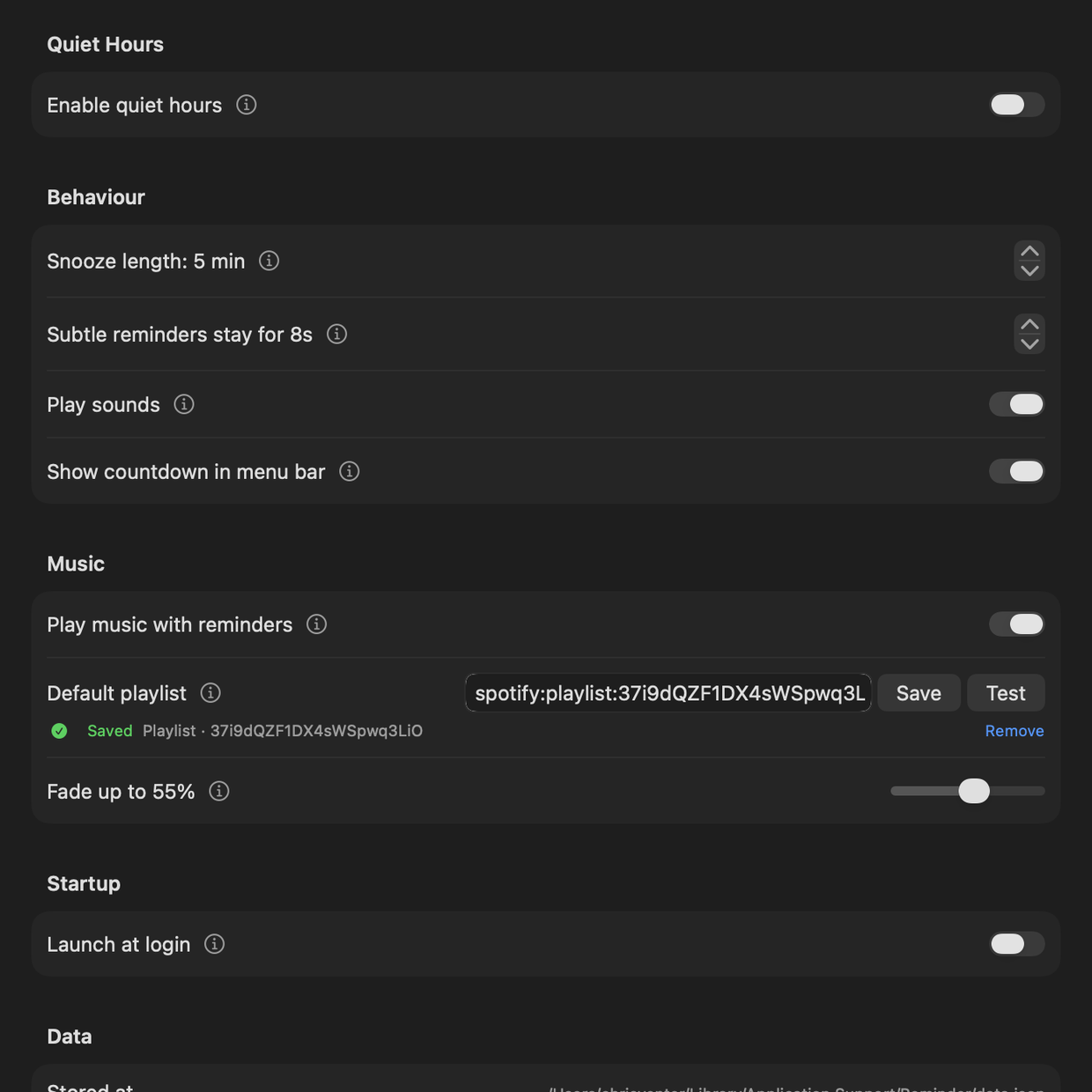
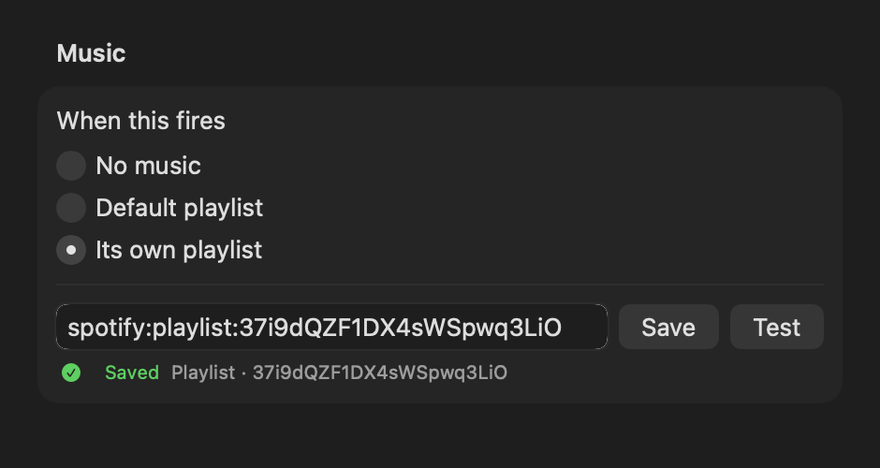
Paste a Spotify playlist link into Preferences and any reminder can play it. Pauselet launches Spotify if it isn't running and fades the volume up, rather than starting at whatever it was left at last night.
Each reminder chooses for itself: no music, the default playlist, or one of its own. Calm piano for the tilt-back reminder; something with a pulse for a movement prompt.
A master switch silences music for every reminder at once, for a meeting, without losing the playlists. Marking a reminder done or snoozing it stops the music it started; music you started yourself is never touched. A Test button confirms the Spotify connection, and if permission was refused the app links straight to the right System Settings pane. If Spotify is not installed the section says so and everything else works.
Music is a Mac-only feature: it drives the Spotify desktop app through AppleScript, iOS has no equivalent and Windows has deliberately not implemented it. macOS asks for permission while you're saving the playlist, not an hour later in the middle of a reminder. If you decline, reminders still fire, just without music.
Who it's for
Weight shifts every twenty minutes, a five-minute tilt every hour. Quiet when it's frequent, unmissable when it's not.
Doses that have to happen at a time, on the days they're due, whether or not you're in the middle of something.
Water, standing up, range-of-motion work: the small maintenance that only helps if it's regular.
Look away, unclench your jaw, fix your shoulders. Frequent enough that it has to stay out of the way.
The home programme you were given and stopped doing in week three. Paste the handout in, then let the coach count you through it.
Sunday, 18:30, ring your mum. Not everything a reminder is for has to be clinical.
Your data
There is no account, no sync and no telemetry. Your reminders and your history live in one plain JSON file: readable, editable, backup-able, and yours.
~/Library/Application Support/Pauselet/data.json
On iPhone and iPad the file sits inside the app's container. All three apps read and write the same file, so it can be copied between a Mac and a Windows machine.
%LOCALAPPDATA%\Pauselet\data.json
Exactly one thing can leave the machine, and only if you go and switch it on: text you choose to send to OpenAI to be read into exercises, with a key you supply. That code lives in its own module with no route to your reminders or your history, so the boundary is one file to audit rather than a promise. Everything else, the parser included, runs on your device.
{
  "reminders": [{
    "title": "Tilt Back",
    "message": "Tilt your chair back…",
    "schedule": { "interval": { "minutes": 60 } },
    "priority": "critical",
    "activityDurationSeconds": 300,
    "isEnabled": true
  }]
}
About
In August 2022, a spinal cord injury left Chris, who wrote Pauselet, paralysed from the shoulders down. Among the many things that changed, one is small enough to sound trivial and isn't: sitting still. For a wheelchair user, staying in one position is how pressure injuries start, and pressure injuries put people in bed for months.
The prevention is unglamorous and relentless. Shift your weight roughly every twenty minutes. Tilt the chair back for five minutes every hour. Every day, for the rest of your life, while you are also trying to work.
Reminder apps were the obvious answer and the wrong one. They fire every reminder at the same volume, so the hourly tilt, the one with a hospital admission behind it, arrives looking exactly like a notification about a software update, and gets swiped away with the same flick of attention. Turn them up and the twenty-minute nudge becomes unbearable. Turn them down and the important one gets missed.
So Pauselet makes the volume the thing you choose, per reminder. The frequent ones whisper. The one that matters dims every screen you own, counts down five real minutes, and waits. That distinction is the entire app; everything else is in service of it.
It works just as well for anyone with something to remember on a schedule, which is why it's free, open source and has no account attached. If it turns out to be useful for your own routine, that's the point.
Download
Unzip it, drag Pauselet.app to Applications, and it opens
without a Gatekeeper warning: the build is signed and notarised by Apple.
It lives in the menu bar, with no Dock icon and no app-switcher entry.
macOS 13 or later
Critical reminders are real alarms that sound through Silent mode and a Focus. Everything else is the same app.
Coming to the App StoreiOS 26 or later
A self-contained zip, about 75 MB, with nothing to install first.
Unzip it and run Pauselet.exe.
Windows 10 version 1809 or later, x64
Every platform asks for notification permission the first time Pauselet runs. Decline it and the Normal and Important volumes fall back to Pauselet's own on-screen card; nothing is silently dropped. On iPhone it also asks for Alarms, which only the Critical volume uses.